
Businesses that depend on appointments, reservations, and service scheduling often struggle with manual booking processes, double bookings, delayed confirmations, and poor customer experiences. One of our clients approached us with a similar challenge. Their existing system relied on spreadsheets, phone calls, and multiple communication channels, making it difficult to manage appointments efficiently. They wanted a modern platform that could automate bookings, provide instant confirmations, and support future business growth.
Our team at Mind Roots accepted the challenge and planned a complete digital transformation through Custom Applications Development, Custom UI/UX, and Mobile Applications Development. The goal was simple. Create a real time booking and scheduling platform that offered speed, reliability, and an effortless experience for both customers and administrators.
Before writing a single line of code, we invested time in understanding the complete business workflow. We conducted detailed discovery sessions with the client to identify customer pain points, staff responsibilities, scheduling rules, payment flow, and reporting requirements. This planning phase allowed us to design an application that matched real business operations instead of forcing the business to change its existing processes.
Our design team then focused on creating an intuitive Custom UI/UX that reduced unnecessary steps during booking. Every screen was planned to minimize user effort while keeping important information clearly visible. The booking journey was simplified into a few easy actions, allowing customers to complete reservations within minutes from both desktop and mobile devices.
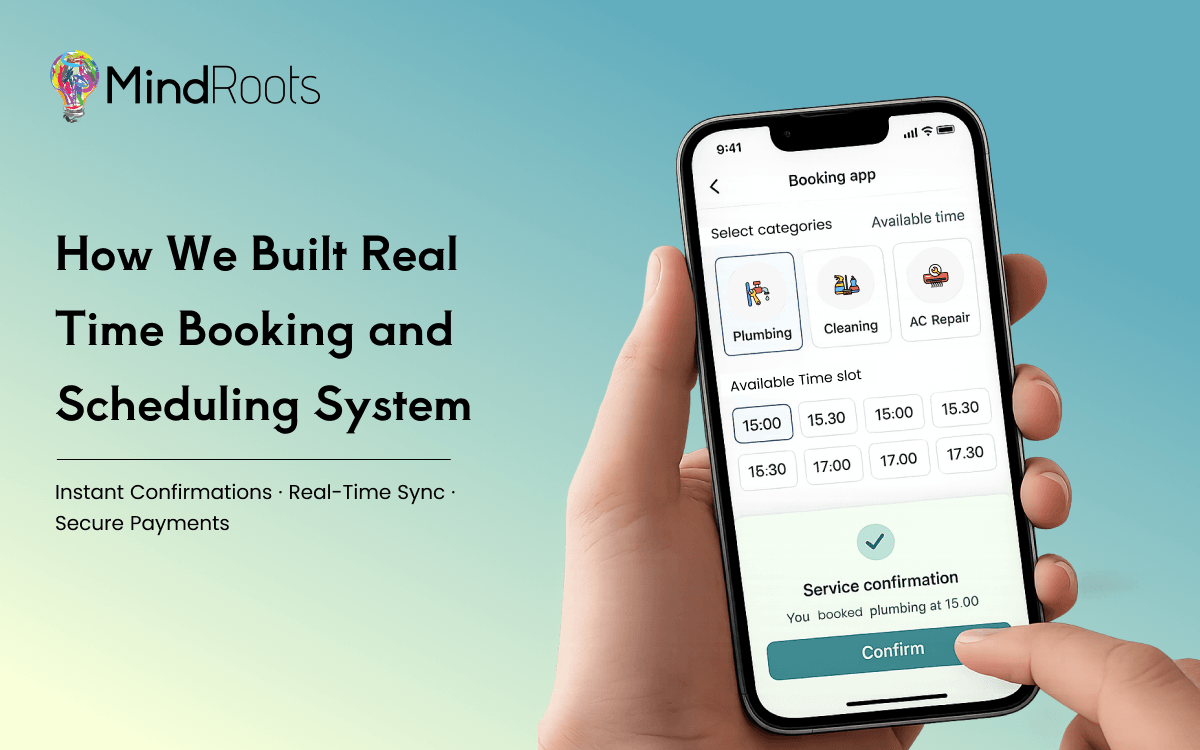
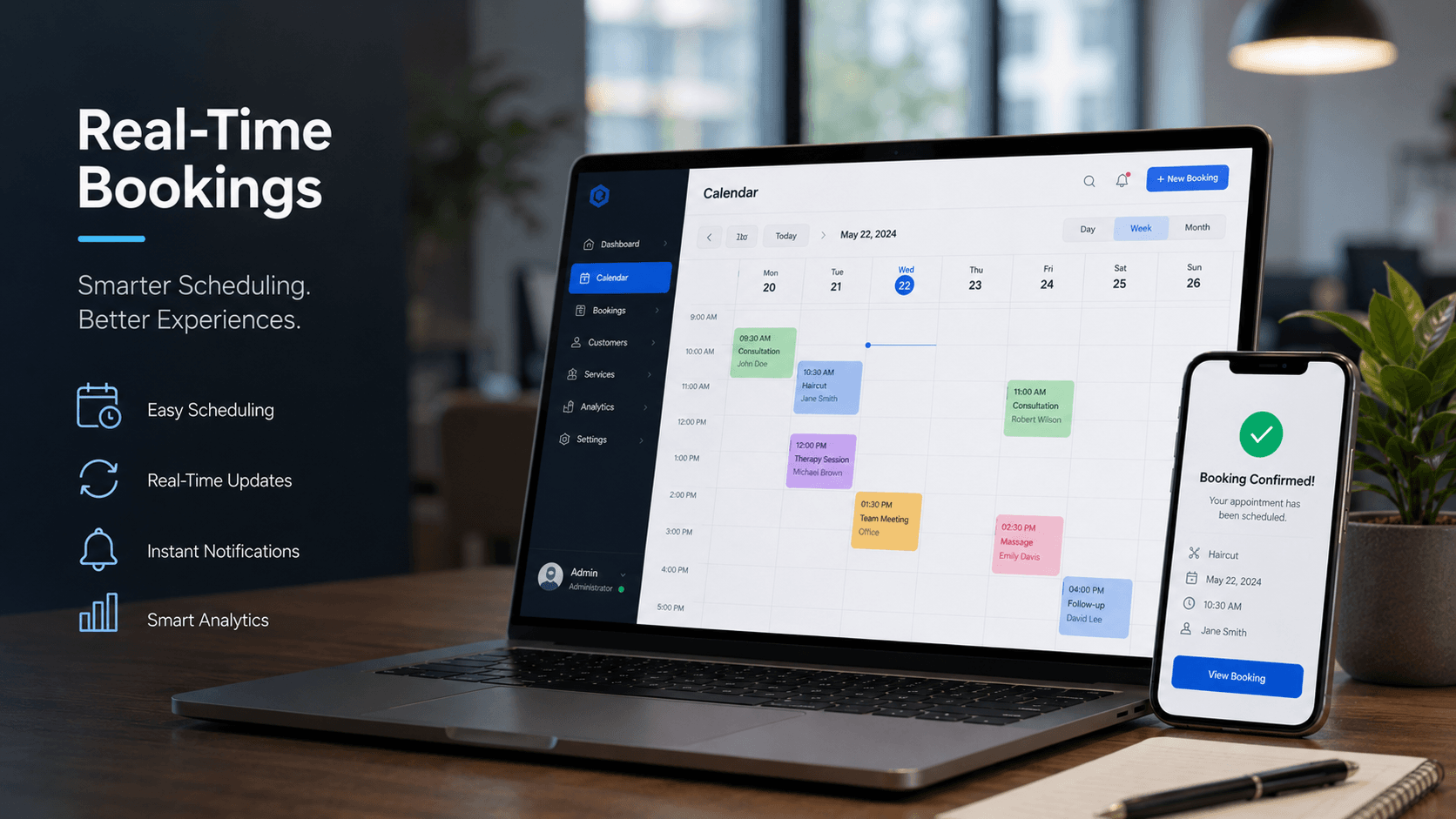
The development phase combined modern technologies with scalable architecture. Since bookings were happening continuously throughout the day, the system needed to update availability instantly across all devices. Every reservation automatically refreshed available time slots, preventing duplicate bookings and eliminating scheduling conflicts. Secure APIs synchronized information between the customer portal, administrator dashboard, payment gateway, and notification services.
The platform was also designed with Mobile Applications Development in mind. Customers could easily search available slots, book appointments, receive notifications, reschedule visits, and track booking history directly from their smartphones. Staff members received instant updates whenever new bookings were created or modified, allowing them to manage schedules without delays.
Several intelligent features played an important role in making the platform highly efficient.
- Real time calendar synchronization across all users
- Instant booking confirmation through email and SMS
- Automated reminders before scheduled appointments
- Secure online payment integration
- Easy appointment cancellation and rescheduling
- Multiple staff availability management
- Dynamic time slot generation
- Customer profile management
- Administrative dashboard with live booking statistics
- Role based access for different departments
While building the platform, scalability remained one of our highest priorities. The client expected rapid business growth, so the application architecture was developed to support increasing traffic without affecting performance. Whether handling hundreds or thousands of daily bookings, the system maintained fast response times and reliable availability.
Security was another major focus throughout the project. Customer information, payment details, and booking records were protected using secure authentication, encrypted communication, and strict access controls. Regular testing ensured the platform remained stable even during peak booking hours.
Our quality assurance team performed extensive functional testing, usability testing, performance testing, and device compatibility testing before deployment. Every booking scenario was validated to ensure customers experienced a smooth and error free journey regardless of the device or browser they used.
The completed solution delivered measurable business improvements within a short period after launch.
- Booking time reduced significantly through automated scheduling
- Manual administrative work decreased considerably
- Double bookings were completely eliminated
- Customer satisfaction improved because of faster confirmations
- Staff productivity increased with centralized scheduling
- Missed appointments reduced through automated reminders
- Business reports became instantly available through the dashboard
- Mobile accessibility improved customer engagement
- System reliability supported continuous business operations
Beyond solving the client’s immediate challenges, the project also created a strong digital foundation for future expansion. The flexible architecture allows additional services, new business locations, loyalty programs, analytics modules, AI powered recommendations, and third party integrations to be added without rebuilding the platform.
This project clearly demonstrated how Custom Applications Development can transform traditional appointment management into an intelligent digital ecosystem. Instead of depending on manual coordination, the client now operates with complete visibility across bookings, customer activity, payments, and operational performance.
Our experience also reinforced the importance of combining powerful technology with exceptional Custom UI/UX. Even the most advanced booking engine delivers limited value if users struggle to complete reservations. By prioritizing usability alongside performance, we created an experience that customers genuinely enjoy using.
Today, the platform continues to process real time bookings efficiently while supporting business growth with confidence. Through strategic planning, scalable engineering, Mobile Applications Development, secure integrations, and user focused design, we successfully delivered a booking and scheduling solution that improves operational efficiency, enhances customer satisfaction, and prepares the business for long term digital success.
If your organization is looking to modernize appointment management, automate scheduling, or build a scalable booking platform, investing in professional Custom Applications Development, intuitive Custom UI/UX, and high performance Mobile Applications Development can create lasting business value while delivering the seamless digital experience that modern customers expect.
Why UX Can Make or Break a SaaS Product
A SaaS product has only a few moments to make a positive first impression. If users struggle to understand how the platform works, they are unlikely to return.
Exceptional UX Design for SaaS creates confidence, simplifies workflows, and encourages users to explore more features. On the other hand, poor usability increases frustration and pushes customers toward competitors.
Professional SaaS Product Design helps businesses achieve:
- Better first impressions
- Faster user onboarding
- Higher customer trust
- Improved user retention
- Lower customer churn
- Increased conversion rates
- Stronger customer satisfaction
Industry research consistently shows that companies investing in user-centered design often experience higher engagement, stronger customer loyalty, and improved business performance. While product features matter, the experience of using those features often determines whether customers stay or leave.

8 UX Mistakes That Cost SaaS Companies Thousands of Users
1. Complicated User Onboarding
The first interaction with your product determines whether users continue exploring or abandon it altogether.
Many SaaS platforms overwhelm new users with lengthy registration forms, multiple setup screens, unnecessary permissions, and confusing terminology.
Common onboarding mistakes include:
- Asking for excessive information upfront
- No guided walkthrough
- Lack of contextual help
- No progress indicators
- Information overload
When users don’t immediately understand how your software solves their problem, they lose interest.
How to Fix It
Successful SaaS UI Design focuses on progressive onboarding.
Best practices include:
- Interactive product tours
- Step-by-step onboarding
- Contextual tooltips
- Checklists for first-time users
- Personalized onboarding flows
Instead of teaching every feature at once, introduce functionality gradually as users become more comfortable with the platform.
2. Confusing Navigation
Even feature-rich software becomes frustrating if users cannot find what they need.
Poor information architecture often results in:
- Hidden menus
- Too many navigation options
- Inconsistent dashboard layouts
- Duplicate menu items
- Unclear labels
Your SaaS dashboard design should help users complete tasks with minimal effort.
How to Fix It
Experienced SaaS UI/UX Specialists begin every project with proper planning.
This includes:
- User journey mapping
- Wireframing
- Card sorting
- User testing
- Figma Designing before development
Creating clickable prototypes allows businesses to validate navigation before investing in development, saving significant time and cost.
3. Slow Loading Interfaces
Users expect applications to respond instantly.
A sluggish interface creates the impression that the entire platform is unreliable, even when the backend performs well.
Performance issues commonly include:
- Heavy dashboards
- Slow reports
- Delayed animations
- Blocking API requests
- Poor image optimization
Perceived performance is just as important as actual performance.
How to Fix It
Modern UI Design Services improve perceived speed by using:
- Skeleton screens
- Lazy loading
- Optimized assets
- Progressive data loading
- Efficient caching strategies
Even if content requires a few extra seconds to load, keeping users informed significantly improves the overall experience.
4. Poor Mobile Experience
Today’s professionals frequently access SaaS products on smartphones and tablets.
If your interface only works well on desktops, you’re losing valuable opportunities.
Common mobile UX problems include:
- Tiny touch targets
- Horizontal scrolling
- Unresponsive layouts
- Crowded dashboards
- Difficult form inputs
Great Mobile App Designing considers usability from the smallest screen upward.
How to Fix It
Adopt a mobile-first approach.
Your design should prioritize:
- Responsive UI
- Flexible layouts
- Mobile-friendly navigation
- Optimized typography
- Thumb-friendly interactions
Consistent experiences across devices encourage users to remain engaged wherever they work.
5. Too Many Features on One Screen
Many SaaS companies try to impress users by displaying every available feature on a single dashboard.
Instead of increasing value, this creates cognitive overload.
Visual clutter often includes:
- Excessive widgets
- Numerous charts
- Competing buttons
- Dense forms
- Too much information
When users don’t know where to focus, productivity decreases.
How to Fix It
Professional UI/UX Designing emphasizes clarity over complexity.
Designers simplify interfaces through:
- Better visual hierarchy
- White space
- Progressive disclosure
- Clear typography
- Logical grouping of content
A clean interface helps users complete tasks faster and reduces decision fatigue.
6. Inconsistent Design System
Inconsistency damages credibility.
If buttons change styles across pages or colors represent different meanings throughout the product, users become confused.
An inconsistent interface typically includes:
- Different button styles
- Mixed typography
- Random spacing
- Inconsistent icons
- Varying color usage
How to Fix It
A scalable Design System provides consistency across every screen.
Experienced SaaS UI/UX Specialists build reusable components including:
- Buttons
- Forms
- Cards
- Tables
- Navigation patterns
- Icons
- Color palettes
- Typography guidelines
This improves development speed while maintaining a professional appearance.
7. Ignoring User Feedback
Your users constantly tell you what’s working—and what isn’t.
Unfortunately, many businesses rely on assumptions rather than real customer insights.
Ignoring feedback leads to:
- Repeated usability issues
- Higher support requests
- Poor customer satisfaction
- Lost revenue
How to Fix It
Conduct regular UX audits using:
- Product analytics
- Heatmaps
- User interviews
- Session recordings
- Customer surveys
- Usability testing
Continuous improvement ensures your product evolves alongside customer needs.
8. Weak Call-to-Action (CTA)
Even beautifully designed products fail if users don’t know what to do next.
Weak CTAs often suffer from:
- Poor placement
- Low contrast
- Generic wording
- Competing actions
How to Fix It
Improve Conversion optimization through:
- Clear button hierarchy
- Action-oriented copy
- Strategic placement
- Effective color psychology
- Limited distractions
Every screen should guide users toward a clear next step.
Mini Case Study
A growing B2B SaaS startup noticed that nearly half of its trial users abandoned the platform before completing setup. Product analytics revealed that users struggled with a lengthy onboarding process, confusing navigation, inconsistent interface elements, and poor mobile usability. Customer support requests continued to increase, while user engagement remained low.
The company partnered with experienced SaaS UI/UX Specialists to conduct a complete UX audit. The team redesigned the onboarding journey using progressive onboarding, simplified the dashboard structure, created a reusable Design System, and optimized every screen through Figma Designing before development. Interactive UI Prototyping allowed stakeholders to validate improvements before implementation, while responsive layouts ensured a consistent experience across desktop and mobile devices.
Within a few months, the startup experienced a noticeable increase in product activation, stronger customer retention, improved feature adoption, longer user sessions, and higher trial-to-paid conversions. Customer feedback became significantly more positive, proving that thoughtful Product Design directly influences business success.
Best Practices for Building a High-Converting SaaS Experience
Building an exceptional SaaS product requires continuous refinement rather than one-time improvements.
Follow these best practices:
- Conduct User Research
Understand customer goals before designing solutions.
- Start with Wireframing
Validate workflows early before visual design begins.
- Design in Figma
Professional Figma Designing improves collaboration, prototyping, and developer handoff.
- Test Before Launch
Usability testing uncovers issues that internal teams often overlook.
- Build a Scalable Design System
Reusable components improve consistency and accelerate future development.
- Prioritize Accessibility
Design for users of all abilities by following accessibility standards.
- Create Responsive Experiences
Ensure consistent usability across desktops, tablets, and smartphones.
- Continuously Improve
Regular UX audits, analytics reviews, and customer feedback sessions keep your product competitive.
Conclusion
Outstanding user experience is no longer a competitive advantage—it’s an expectation.
Every unnecessary click, confusing workflow, or inconsistent interface creates friction that can cost your SaaS business valuable customers.
Investing in professional UI/UX Designing helps improve onboarding, increase customer satisfaction, strengthen user retention, and accelerate long-term product growth.
Whether you’re launching a new SaaS platform or optimizing an existing one, regular UX audits and user-centered design decisions can dramatically improve business performance.
Looking to build a SaaS product your users will love?
Our experienced SaaS UI/UX Specialists help startups and enterprises create intuitive, conversion-focused digital products through expert
UI/UX Designing, Figma Designing, Mobile App Designing, UX Design for SaaS, and end-to-end Product Design services.
Contact our team today to transform your product into a powerful growth engine.
Frequently asked questions
1. Why is UX important for SaaS products?
A great user experience improves onboarding, increases customer satisfaction, boosts user retention, reduces churn, and encourages long-term product adoption.
2. What are the biggest UX mistakes in SaaS applications?
The most common mistakes include poor onboarding, confusing navigation, inconsistent interfaces, slow loading times, weak CTAs, feature overload, poor mobile experiences, and ignoring user feedback.
3. Why should SaaS companies invest in Figma Designing?
Figma enables collaborative design, rapid prototyping, stakeholder feedback, and smoother developer handoffs, reducing development errors and improving product quality.
4. What is a Design System?
A Design System is a collection of reusable UI components, design guidelines, typography, colors, and interaction patterns that ensure consistency across digital products.
5. How often should a SaaS product undergo a UX audit?
Most SaaS businesses should conduct a UX audit every 6–12 months or after introducing significant product updates to identify usability issues and improve customer experience.