


The Night the Wi Fi Died
Why Standard Cloud Dependent Access Control Fails in Real Conditions
The core issue was architectural, not incidental. Every access decision required a round trip: mobile app to server, server to lock, lock back to server, server back to app. If any link in that chain was down, the whole transaction failed, even when the person standing at the door had every right to be there.
Failures also clustered in the worst possible moments. Storms take out power and internet together. Renovation crews cut cables. Rural properties run on satellite links with real latency and occasional dropouts. None of this showed up in lab testing, because the lab had stable internet.
The lesson was simple. A system that only works when the network works is not really an access control system. It is a network dependent inconvenience wearing an access control costume.
Design Decisions and Trade Offs
We started with a hard requirement: a lock must make a correct access decision on its own, without calling home, for a bounded period of time. That single sentence forced a lot of decisions.
First, how much trust to push to the edge. Full offline autonomy meant the lock needed to store and evaluate credentials locally, which meant more compute on the lock and a bigger attack surface to secure. We accepted that trade off because a lock that refuses everyone when offline was worse for both safety and reputation.
Second, how long offline access should stay trusted before expiring. Too short, and the system barely helps. Too long, and a revoked credential could linger dangerously. We settled on a rolling window, refreshed each time the lock reconnects, rather than a fixed calendar based expiry.
Third, whether Bluetooth alone was enough as a fallback or whether we also needed NFC. We ended up supporting both, since guest phones and staff badges do not always support the same protocols.
The Technical Approach
Local Authentication
Each lock holds a signed, encrypted table of currently valid credentials. Signing uses asymmetric keys generated during provisioning, so the lock can verify a credential’s authenticity without contacting the server. Validation happens on the lock’s own secure element, not in general purpose memory, which keeps private key material isolated even if the firmware is compromised.
Sync Queues and Conflict Resolution
Every access event, online or offline, gets written to a local queue with a timestamp and a monotonic counter. When connectivity returns, the lock pushes that queue to the server. For conflicts, such as a credential revoked on the server while used locally offline, we apply a strict rule: revocations always win over prior grants, and the most recent trusted timestamp wins for everything else. Predictable logic matters when you are debugging a lockout at 2 a.m.
Encrypted Credential Caching
Credentials cached on the lock and on the phone are encrypted at rest with keys that rotate on a schedule and immediately on revocation. Nothing is stored in plain text, and cached credentials carry their own expiry so a stolen phone or compromised lock cannot become a long term backdoor. This is what made offline smart locks defensible under security review, not just a convenience feature.
Bluetooth and NFC Fallback
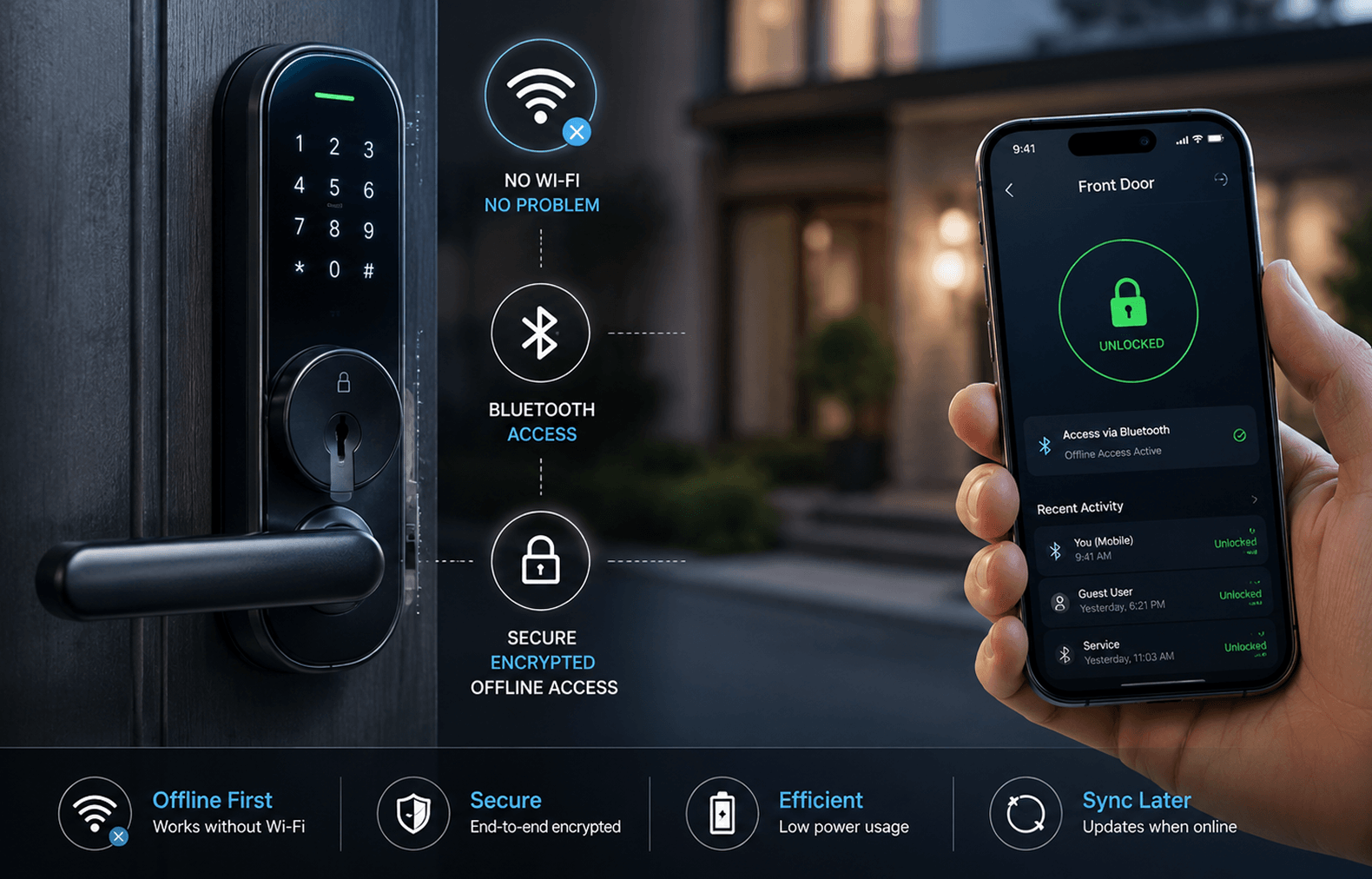
When the lock cannot reach the cloud and the phone cannot reach cellular data either, Bluetooth Low Energy becomes the transport for the credential exchange. NFC serves the same purpose for badges and cards, and for tap based unlocking. Both channels use the same signed credential format as the cloud path, so the lock needs no separate logic depending on how the credential arrived.
Adapting Mobile and Web Applications for Offline States
The mobile application had to change the most. It now downloads and refreshes an encrypted credential bundle in the background whenever it has connectivity, rather than fetching a credential only at the moment someone tries a door. When a user opens the app with no signal, it already has what it needs, and it clearly shows an offline indicator so nobody is confused by the interface.
The mobile app also queues any action taken offline, such as marking a guest checked out, and syncs it the moment a connection reappears. It never pretends an offline action has already reached the server.
The web application plays a different role. It is where property managers issue and revoke credentials, and it assumes connectivity most of the time since it runs on office networks. We still built it to tolerate short outages, holding pending changes locally in the browser and retrying submission instead of losing an administrator’s work mid session. The web app is also where teams review synced offline access logs afterward, giving a full audit trail even for doors opened while completely disconnected.
How the System Resyncs Once Connectivity Returns
Results After Implementation
Lessons Learned
Conclusion
Frequently asked questions
Yes, within the trusted window the lock maintains locally. The lock verifies signed credentials on device, so a working local authentication check does not depend on server response time or network quality at all.
2. What security risks come with offline smart locks?The main risk is stale credentials lingering after revocation. We limit this with short rolling trust windows, immediate key rotation on revocation, and encrypted storage so cached data cannot be read or reused if a device is lost or stolen.
3. How does the system resync after reconnection?The lock authenticates itself, uploads queued access events in order, downloads pending credential changes, then marks itself synced. If interrupted, it resumes from the last confirmed step rather than repeating or skipping events.
4. Does offline mode drain the lock’s battery faster?Slightly, since the lock performs more local computation instead of a quick server check. In practice the difference is small because Bluetooth and local verification use far less power than maintaining a constant Wi Fi connection would.
5. What is the difference between the mobile app and web app roles here?The mobile app for smart locks handles credential caching, offline unlocking, and queued actions for end users. The web application is the administrative side, where managers issue and revoke access and review synced logs after the fact.
6. What real world situations does this actually solve?Storms that knock out building internet, dead zones in stairwells or basements, and rural properties with unreliable connections are the clearest cases. Guests and staff can still enter and exit normally while the system quietly resyncs once connectivity returns.