



Every business collects customer data. Names, emails, purchase history, support tickets, it all piles up in some system somewhere. But collecting data and actually using it are two very different things.
This is where modern CRM software earns its keep. A good CRM does not just store information about your customers. It turns that information into action: personalized outreach, timely follow ups, smarter decisions, and relationships that actually last. If you are still thinking of your CRM as a glorified spreadsheet, it is time to rethink what this technology can do.
Data Centralization: The Foundation of Everything Else
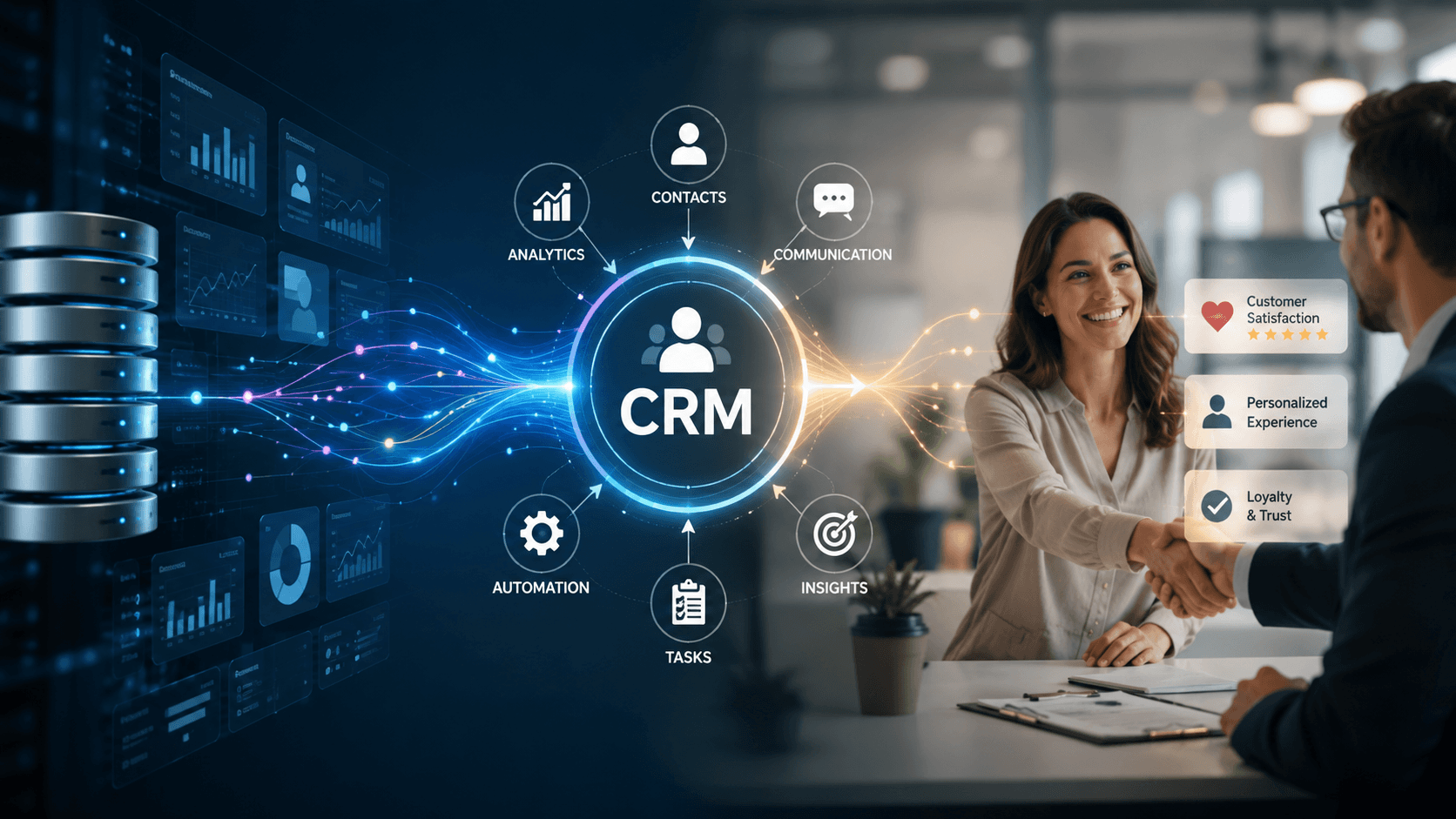
Before a business can build meaningful relationships with customers, it needs one clear picture of who those customers are. That sounds simple, but most companies struggle with it. Sales data lives in one tool, support tickets in another, marketing engagement in a third. Nobody has the full story.
CRM platforms solve this by pulling every touchpoint into a single, unified record. Every email opened, every call logged, every purchase made gets tied back to one customer profile. When a support agent picks up the phone, they can see the customer’s entire history in seconds, not minutes spent digging through five different systems.
This is often the starting point when a business partners with a CRM Application Development Company. The goal is not just to install software, but to design a data architecture that actually reflects how the business operates. Centralization only works when it is built around real workflows, not generic templates.
Personalization: Making Customers Feel Known
Once data is centralized, something interesting becomes possible: businesses can treat customers like individuals instead of entries in a database. Personalization is what separates a forgettable brand from one people stay loyal to.
Think about a customer who bought running shoes six months ago. A well built CRM can trigger a personalized email when a new version of that shoe line drops, referencing their past purchase and even their size. That is not guesswork. It is the system connecting purchase history, browsing behavior, and timing to deliver something genuinely useful.
Retailers, SaaS companies, and service providers all use this same principle in different ways. A gym might send a check in message after a member has not visited in two weeks. A software company might nudge a user toward a feature they have never tried but that matches their usage pattern. None of this happens by accident. It happens because the CRM is doing quiet, constant work in the background.
Automation Workflows: Consistency Without the Manual Labor
Nobody on a sales or support team wants to spend their day sending the same follow up email over and over. Automation workflows exist to remove that burden while making sure nothing falls through the cracks.
A typical example: a lead fills out a contact form. Within minutes, they receive a welcome email. Three days later, if they have not responded, a friendly nudge goes out automatically. If they click a pricing page, a sales rep gets an alert to reach out personally. None of this requires someone sitting at a desk watching for triggers.
Automated follow ups like these keep prospects warm without burning out the team responsible for nurturing them. The result is a process that feels attentive to the customer, even though much of it runs on rules set up in advance. This is exactly the kind of workflow a Custom CRM Software Company will map out early in a project, because generic automation rarely fits how a specific business actually sells or supports its customers.
Lead Scoring and Customer Segmentation: Knowing Who Matters Right Now
Not every lead deserves the same attention, and not every customer should get the same message. Lead scoring assigns value to prospects based on their behavior: how often they visit the website, whether they opened an email, if they requested a demo. High scoring leads get fast tracked to sales, while lower scoring ones stay in a nurturing sequence.
Segmentation works alongside this by grouping customers based on shared traits. That might mean splitting an audience by industry, purchase frequency, or product usage. A software company, for instance, might segment users into “power users,” “occasional users,” and “at risk of churning,” then design entirely different outreach for each group.
Together, lead scoring and segmentation stop businesses from treating their entire customer base as one giant, undifferentiated mass. Instead, every message, offer, and follow up is aimed at the people most likely to respond to it.
Predictive Analytics: Seeing What Comes Next
Modern CRM platforms do more than report on what already happened. They increasingly predict what is likely to happen next. Predictive analytics uses historical data patterns to forecast things like which leads are most likely to convert, which customers are at risk of leaving, and which products a customer might want next.
A subscription business might see that customers who reduce their login frequency by more than 40 percent in a month are statistically likely to cancel within the next sixty days. With that insight, a retention team can step in early with a personalized offer or a check in call, long before the customer ever files a cancellation request.
This kind of forecasting used to require a data science team and months of setup. Now it is often built directly into CRM platforms, giving even mid sized businesses access to insights that once belonged only to enterprise companies with deep pockets.
Integration APIs: Connecting the CRM to Everything Else
A CRM rarely operates alone. It needs to talk to email platforms, billing systems, customer support tools, marketing software, and sometimes custom internal applications. This is where integration APIs come in, acting as the connective tissue between the CRM and the rest of a company’s technology stack.
Good integrations mean a sale closed in the CRM automatically triggers an invoice in the billing system. A support ticket resolved in a helpdesk tool updates the customer’s CRM record without anyone lifting a finger. These connections are what make a CRM feel like the center of operations rather than just another isolated app competing for attention.
Businesses that want this level of connectivity often work with a CRM Application Development Company to build integrations specific to their existing tools, especially when off the shelf connectors do not cover a niche piece of software the business relies on.
Turning Data Into Relationships That Last
CRM software has come a long way from being a digital rolodex. Today it is a system that centralizes information, personalizes communication, automates busywork, scores and segments audiences intelligently, predicts future behavior, and connects seamlessly with everything else a business runs on.
The businesses that get the most value from CRM are not the ones with the fanciest dashboard. They are the ones that treat their CRM as a living system, one that grows and adapts alongside their customers instead of just recording what already happened. Working with an experienced CRM Application Development Company or a Custom CRM Software Company can make the difference between software that sits unused and a system that genuinely drives retention and growth.
If your business is still treating customer data as something to store rather than something to act on, now is a good time to change that. Reach out to a trusted CRM partner and start building a system that turns every customer interaction into a relationship worth keeping.
Frequently asked questions
A basic database only stores information. CRM software actively uses that information through automation, personalization, and analytics to drive real business outcomes like better retention and higher conversion rates.
Timelines vary based on complexity, but most custom CRM projects take anywhere from six weeks to several months. Factors like data migration, integrations, and team training all influence the overall timeline.
Yes, many modern CRM platforms now include built in predictive features that do not require a dedicated data science team. Small businesses can use these tools to spot at risk customers and prioritize high value leads without extra overhead.
Off the shelf CRMs work well for standard use cases, but businesses with unique workflows or niche integration needs often outgrow them quickly. A custom CRM can be designed around the exact way a company sells, supports, and communicates with its customers.
Integrations eliminate manual data entry by connecting the CRM to tools like billing platforms, support systems, and marketing software. This keeps information accurate across every system and frees up staff to focus on customers instead of admin work.
Related News

Building an AI Quiz & Learning Platform for Kids