


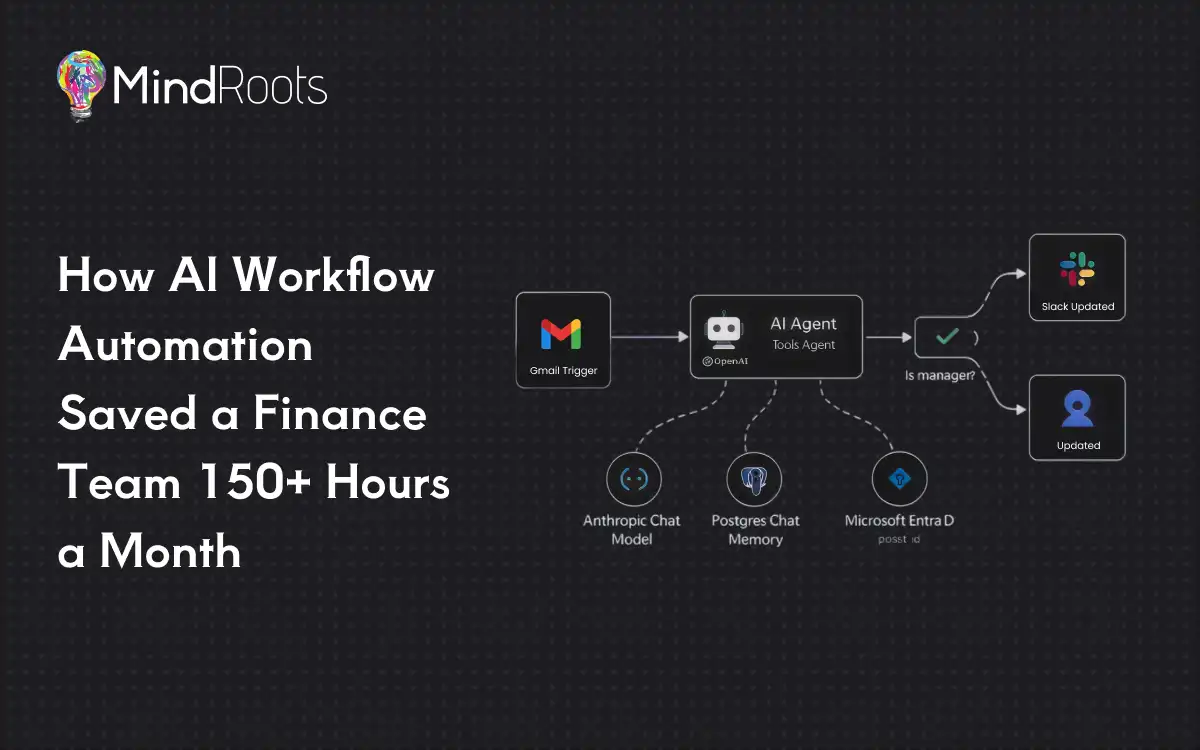
A real-world case study in applying AI workflow automation and intelligent document processing to one of the most expensive, error-prone tasks in any business: invoice reconciliation.
Key results at a glance
A Canadian logistics and trucking company was losing a finance team’s worth of time every month to manual invoice processing. We replaced the manual workflow with an end-to-end AI automation. The outcome:
- ~3,000 invoices processed automatically every month — read, verified, and reconciled with no manual data entry.
- 150+ hours of finance work saved per month — roughly a full-time employee’s monthly workload, recovered.
- A 10-person finance team redeployed from copy-paste reconciliation to higher-value work.
- Payment status kept accurate in QuickBooks automatically, with a sharp drop in missed and duplicate invoices.
If your business processes a high volume of documents — invoices, purchase orders, claims, statements — the same AI workflow automation pattern applies, wherever in the world you operate.
What is AI workflow automation?
AI workflow automation is the use of artificial intelligence — typically large language models (LLMs) and AI agents — to run a multi-step business process end to end, with humans involved only for judgment and exceptions. Unlike traditional rule-based automation, which breaks the moment a document changes format, AI workflow automation can read unstructured inputs (like a PDF invoice it has never seen before), understand them, verify them against your systems of record, and take action.
In practice, an AI workflow automation can:
- Read and extract data from documents in any format (intelligent document processing).
- Cross-check that data against systems like QuickBooks, an ERP, or a database.
- Apply business rules to flag exceptions and route them to a person.
- Trigger downstream actions — emails, approvals, status updates — automatically.
This case study shows exactly how that works, step by step, in a live finance operation.
The challenge: 3,000 invoices a month, all by hand
Our client runs a logistics and trucking operation. Like most companies their size, their finance function was lean but buried under document volume.
Roughly 3,000 vendor invoices arrived every month — fuel, maintenance, parts, subcontracted hauls, tolls, insurance — in every format imaginable: PDFs, scanned images, invoices pasted into the email body, multi-page statements, and the same vendor changing their layout without warning.
A finance team of 10 had to manually:
- Open and read every incoming invoice email and pull out the key data (vendor, invoice number, date, amount, line items).
- Check each invoice against QuickBooks to confirm it was recorded correctly.
- Match every invoice against the vendor's month-end statement to catch anything missing or double-counted.
- Investigate every discrepancy — a phantom charge, a wrong amount, a duplicate, a missing invoice.
- Chase vendors by email for missing or incorrect paperwork, then follow up.
- Route clean invoices for approval, get them paid, and mark each one as paid in QuickBooks.
It was repetitive, detail-dependent, and unforgiving — and it consumed more than 150 hours of skilled time every month. It was also perfectly rule-bound, which made it an ideal candidate for AI workflow automation.
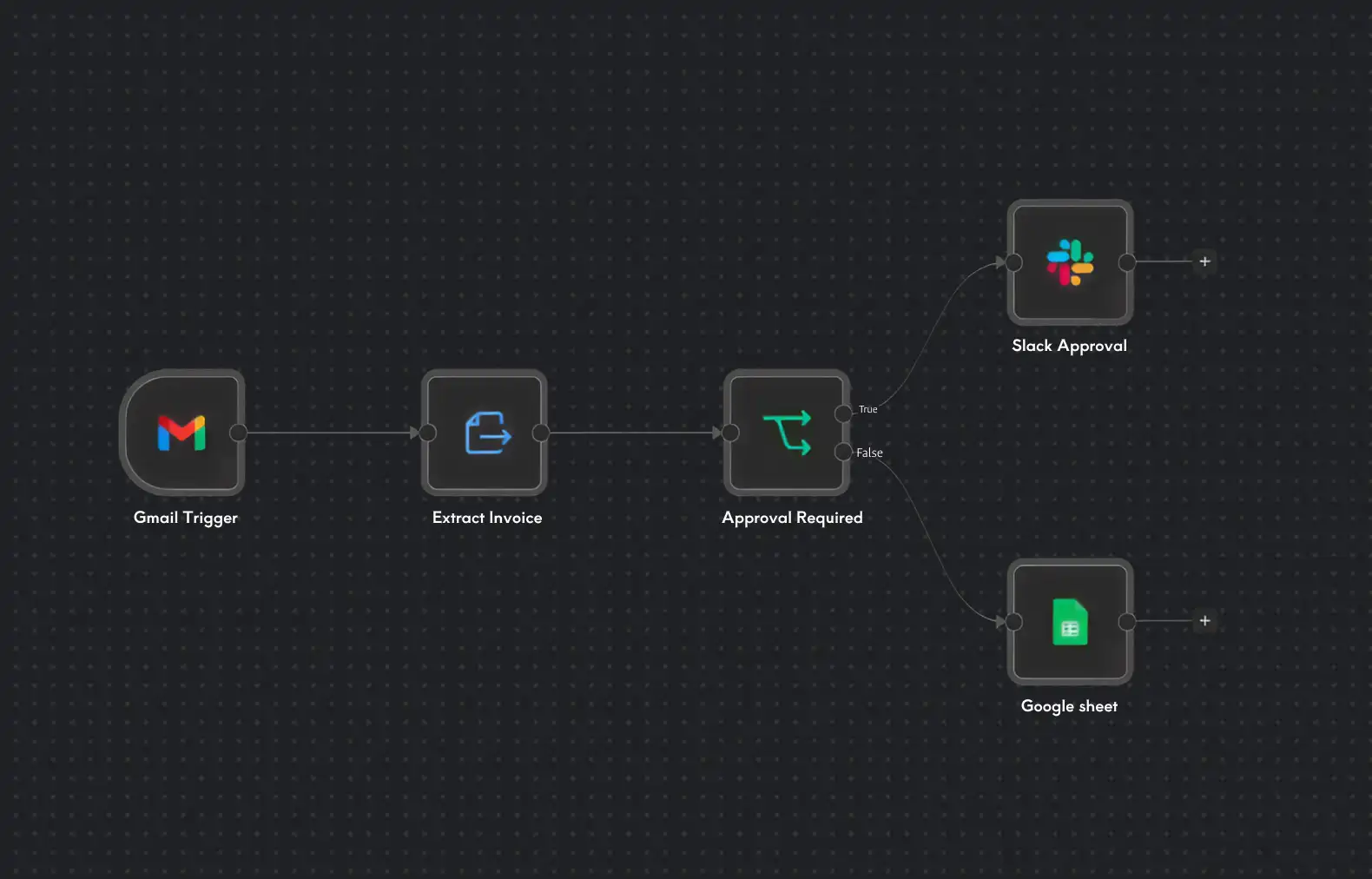
The solution: an end-to-end AI invoice automation pipeline
We built an AI workflow automation that removes the human from everything except the one decision that matters — approving payment. The pipeline runs in five stages.
1. Ingestion — invoices in, automatically
A queue-based ingestion system connects directly to the finance inbox, watches for incoming invoices, extracts attachments, and de-duplicates at the source. Using a message queue lets the system absorb bursts of invoices and process ~3,000 documents a month reliably, without dropping or double-processing anything.
2. AI extraction — an LLM reads the PDFs
This is the core of the automation. Each invoice — including scanned and PDF documents — is passed to a large language model (OpenAI) that reads it and extracts structured data: vendor, invoice number, dates, totals, taxes, and line items. Because we use an LLM rather than rigid templates, the system handles new and inconsistent vendor formats without breaking. Every extracted field carries a confidence score. High-confidence results flow straight through; low-confidence ones are held for human review rather than guessed at — because a wrong number that looks right is far more dangerous than an obvious gap.
3. Cross-verification against QuickBooks
Each structured invoice is checked against QuickBooks through the QuickBooks API. The system confirms whether the invoice exists, whether amounts match, and whether the vendor and account mapping are correct. Mismatches are caught here, automatically.
4. Reconciliation against month-end statements
The system matches each vendor’s month-end statement, line by line, against the invoices it processed — answering three questions with no human effort: Is everything on the statement accounted for? Is everything we received actually on the statement (no duplicates)? Do the amounts agree? Anything that fails becomes a flagged exception.
5. Approval, payment, and vendor follow-up
This is the only point where a human enters, and only for the decision that requires them:
- Clean, fully reconciled invoices generate a single approval email to the responsible finance person — verified, matched, with all context attached.
- Once a payment is made, the invoice is automatically marked as paid in QuickBooks. No manual status updates.
- Missing invoices trigger an automatic, professionally worded email to the vendor, with built-in follow-up.
- Incorrect or ambiguous invoices surface in a clear exceptions dashboard for a human to resolve — with the discrepancy already identified.
The finance team’s monthly experience changed from “process 3,000 invoices” to “review a short list of exceptions and approve a clean batch.”
The tech stack behind the automation
For the technically minded, here’s what powers this AI workflow automation:
Layer
Technology
Role
AI / document understanding
Python
React
The guiding principle throughout: automate the rules, escalate the judgment. The system handles anything deterministic and verifiable; the moment something is uncertain — or involves spending money — a human is in the loop.
The results: 150+ hours back, every month
Metric
Before automation
After automation
150+ hours
Which businesses can use AI workflow automation?
This pattern is not specific to trucking, or to Canada. We build AI workflow automation for clients worldwide, and the same approach applies to any high volume, document heavy, rule bound process.
- Accounts payable & receivable — invoice processing,
reconciliation, payment runs. - Procurement — purchase order matching and three way matching.
- Logistics & supply chain — bills of lading,
customs documents, carrier invoices. - Insurance & claims — intake, validation, and routing.
- Healthcare & legal — document classification,
extraction, and compliance checks. - Any back office drowning in email driven, copy paste work.
The specifics change, the shape doesn’t. Capture the input, structure it with AI, verify it against your system of record, flag the exceptions, keep humans on the judgment, and automate the repetitive work.
What we learned building it
The highest-leverage AI projects are usually the unglamorous ones. Not chatbots or demos — the quiet, repetitive, error-prone back-office processes that have silently cost a business time for years. That’s where the return is.
Human-in-the-loop is the design, not a weakness. The goal was never to remove people; it was to remove people from the mechanical work so their attention goes where it’s valuable. Keeping a human on the payment decision is what made the system trustworthy.
Confidence scoring separates a useful AI system from a dangerous one. A system that knows when it’s unsure — and asks — is worth far more than one that’s confidently wrong some of the time.
Frequently asked questions
What is AI workflow automation?
AI workflow automation uses AI — usually large language models and AI agents — to run a multi step business process end to end, reading unstructured inputs, verifying them against your systems, and taking action, while humans handle only judgment and exceptions.
How does AI automate invoice processing?
An LLM reads each invoice (including PDFs and scans) and extracts structured data such as vendor, amount, and invoice number. That data is cross checked against an accounting system like QuickBooks, matched against statements, and any discrepancies are flagged for review. Clean invoices are routed for one click approval and marked as paid automatically.
How much time can AI invoice automation save?
In this case study, the AI workflow automation saved a 10 person finance team more than 150 hours per month while processing roughly 3,000 invoices — the equivalent of nearly a full time employee’s monthly workload. Savings scale with document volume.
Can AI integrate with QuickBooks?
Yes. Using the QuickBooks API, an AI automation can verify invoices against QuickBooks records, check amounts and vendor mappings, and write back payment status automatically — keeping the books accurate without manual updates.
Is AI invoice processing accurate and safe?
With confidence scoring and a human in the loop design, every extracted field is scored, low confidence items are routed to a person instead of being guessed at, and a human always approves payment. The AI handles deterministic, verifiable work; people handle judgment.
What technology is used to build AI workflow automation?
This solution used OpenAI for document understanding, Python for processing and orchestration, a queue system for ingestion, the QuickBooks API for accounting integration, Node.js and React for the application and exceptions dashboard, and PostgreSQL as the system of record and audit trail.
What types of businesses benefit most?
Any business with high volume, document heavy, rule bound processes — accounts payable, procurement, logistics, insurance claims, and back office operations — benefits from AI workflow automation, regardless of industry or country.