


It’s 9 a.m. on release day and your fulfilment sync job is throwing errors. A field your app relied on for two years quietly disappeared in the latest quarterly release. Merchants message support, orders get stuck, and your team scrambles to patch fragile code. This plays out across the Shopify ecosystem every few months, and it’s rarely sloppy engineering. It’s architecture that wasn’t built to expect change.
Good Shopify app architecture treats API version updates as a certainty, not an edge case. This post covers the patterns, testing strategies, and operational habits that separate apps that break on every release from apps that barely notice.
Understanding Shopify’s API Versioning Cycle
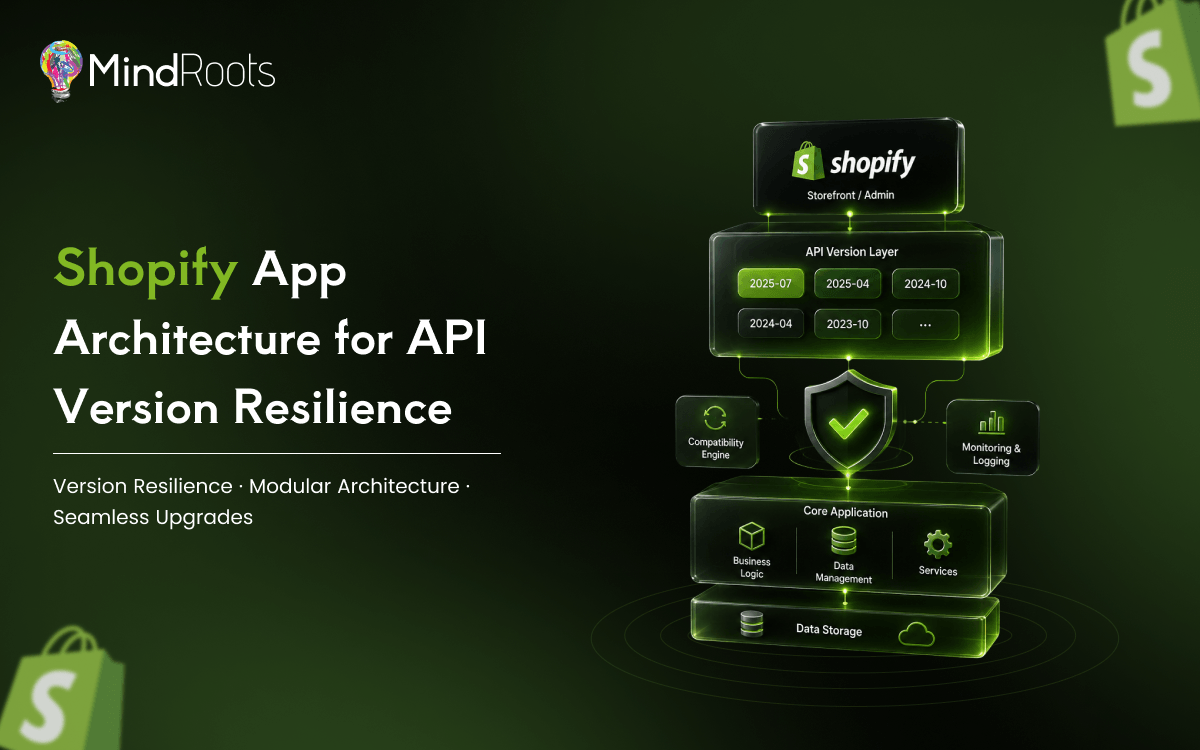
Shopify ships a new API version every quarter, labelled by year and season (2026 01, 2026 04, and so on). Shopify API versioning applies to both REST and GraphQL, and every request must explicitly declare its target version. There’s no implicit “latest,” but there is an expiration date on whatever you pick. Shopify’s official API versioning documentation provides further details on the platform’s versioning and release updates.
The deprecation lifecycle generally follows this pattern:
- Supported: current and receiving bug fixes.
- Deprecated: still functional but flagged for removal; sunset headers warn integrators.
- Sunset: the version stops responding entirely; unmigrated requests fail outright.
The real problem isn’t keeping up with one release. It’s building a system that absorbs four releases a year without a rewrite each time.
Architectural Patterns for Version Resilience
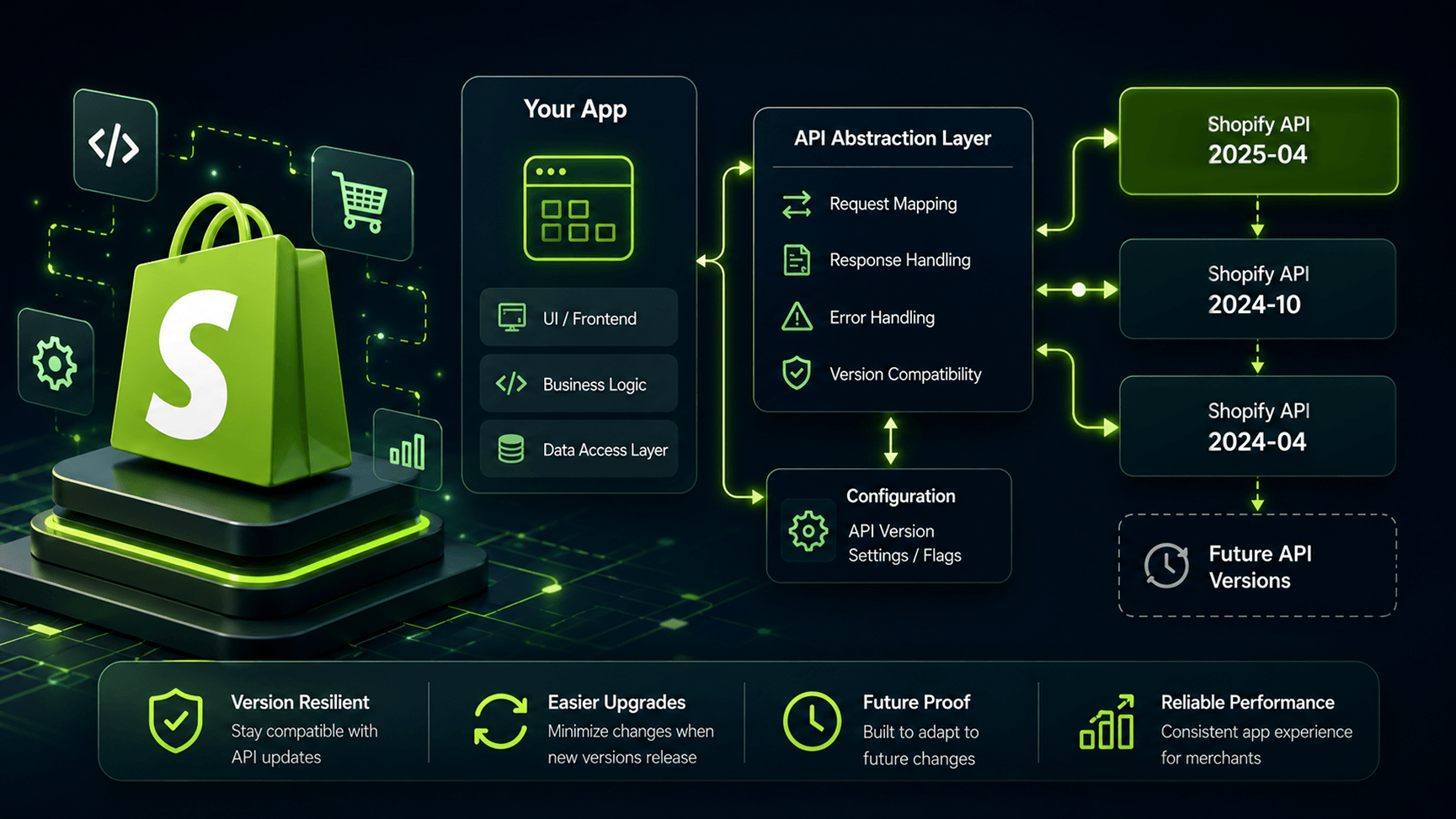
The single most important decision in long term Shopify app development is where you draw the boundary between “Shopify’s API shape” and “your app’s internal data model.” Apps calling endpoints directly from scattered business logic break hardest, because one field rename ripples through dozens of files.
The Adapter and Facade Layer
An adapter (or facade) layer sits between your application code and Shopify’s API, translating raw responses into a stable internal schema. When Shopify renames a field or restructures a connection, you update one adapter function instead of hunting through the codebase. This is the classic adapter pattern in software design applied to API version abstraction.
Feature Flags and Version Toggles
Feature flagging lets you run two API versions side by side during migration. Instead of a hard cutover, you gate new version logic behind a flag, roll it out to a percentage of merchants, and roll back instantly if something’s wrong, with no emergency deploy required.
Semantic Versioning Inside Your Own App
Treat internal adapter interfaces with the same discipline as semantic versioning: breaking internal schema changes bump a major version, additive changes bump a minor version. This keeps your team from confusing “Shopify changed something” with “we changed something” during incidents.
GraphQL vs REST: Which Wins for Long Term Stability?
Shopify has steadily pushed REST toward deprecation in Favor of GraphQL, and there are real architectural reasons to follow that lead. The Shopify GraphQL API uses schema evolution rather than hard version breaks for many changes. Fields get deprecated with explicit @deprecated directives before removal, a visible, machine readable signal instead of a changelog you might miss. Its strongly typed schema also means many breaking changes surface at introspection time, before production.
That said, GraphQL isn’t automatically safe. Query fragments still break when a field is removed, and nested connection restructuring can be just as disruptive as a REST field rename. The advantage isn’t immunity. It’s earlier, clearer warning signals built into the protocol, as described in the GraphQL schema deprecation directives documentation.
Webhook Versioning and Backward Compatibility
Webhook payload versioning is often the most overlooked part of Shopify app architecture. Webhooks are tied to the API version active at subscription time, and payload shapes shift just like endpoint responses. A resilient approach includes:
- Pinning webhook versions explicitly at registration rather than relying on defaults.
- Building parsers that tolerate additional or missing fields without throwing.
- Alerting on unexpected payload shapes so drift is caught within hours.
- Resubscribing webhooks ahead of a version’s sunset date.
Idempotency matters too. Retries and out of order delivery are normal, so handlers should safely process the same event twice.
Automated Testing and CI/CD for API Changes
Manual QA against a quarterly schedule doesn’t scale. Contract testing, validating that your assumptions about response shapes still hold, should run automatically against release candidates as soon as they hit developer preview. Pair that with a regression suite replaying historical responses through your adapter layer, so a schema change fails a local test instead of a live storefront. For more detail, see our guide to contract testing for third party APIs.
A solid CI/CD setup for a long lived Shopify app typically includes:
- A scheduled job testing your suite against the next unreleased version, months early.
- Dependency checks flagging direct (non adapter) API calls introduced by new code.
- Synthetic monitoring exercising key API calls in a staging store daily.
- Alerting tied to deprecated field usage, so engineering sees warnings before support tickets do.
Handling Deprecated Fields Gracefully
When a field or mutation is marked deprecated, graceful degradation beats a hard failure. Fallback logic, trying the new field first, falling back to the old one if absent, and logging the occurrence, buys migration time without breakage. Rate limiting deserves attention too: version transitions sometimes shift query cost calculations, and an app untuned for the new model can hit throttling limits it never saw before.
A Realistic Scenario
Consider an inventory sync app querying variants via GraphQL. When Shopify deprecates a legacy inventory field for a new inventory levels connection, an app with an adapter layer updates one function, runs the regression suite, ships behind a feature flag to 5% of stores, and promotes to 100% once monitoring shows zero errors. An app without that layer has engineers grepping through business logic under deadline pressure. Architecture, not the fix, determines how that week goes.
Best Practices Checklist
- Isolate all API calls behind an adapter or facade layer.
- Pin explicit versions everywhere, including webhook subscriptions.
- Run contract tests against upcoming versions before they’re mandatory.
- Build fallback logic for deprecated fields and mutations.
- Monitor deprecated endpoint usage and sunset headers.
- Use feature flags to stage migrations gradually.
- Treat webhook handlers as idempotent by default.
Conclusion
API version updates aren’t an occasional disruption. They’re a recurring, predictable event that belongs in your architecture from day one. Apps that isolate Shopify’s API shape behind adapters, test against upcoming versions early, and monitor deprecated usage turn a quarterly fire drill into a routine deploy. If your team still patches business logic every time Shopify ships a new version, audit your integration layer before the next release candidate drops.
Frequently asked questions
Shopify releases a new version every quarter, named for the year and season. Each stays supported for twelve months before entering its sunset phase, after which requests using it stop working entirely.