



A smart lock agency came to us with a problem that had nothing to do with locks themselves. Their hardware worked fine. The real issue was that nobody in the company, not the technicians, not the support staff, not the property managers they served, had a single place to see what was happening across their entire fleet of devices. Locks were going offline and nobody noticed until a tenant complained. Battery levels were a mystery until a lock died. Access permissions lived in spreadsheets that were already out of date the moment they were saved. The agency was managing physical security with tools built for anything but physical security.
They needed a platform that could see every lock, manage every user, and respond to events as they happened, on both web and mobile. That is where our team at Smart IoT Solutions stepped in. This is the story of how we built that system.
Understanding the Real Requirements
Before writing a single line of code, we spent several weeks in discovery sessions with the agency’s operations team, their field technicians, and a handful of their property manager clients. As Smart IoT Solutions, we wanted to understand the actual daily friction points, not just the feature wishlist.
What emerged was a clear set of needs that went well beyond “an app that unlocks doors.”
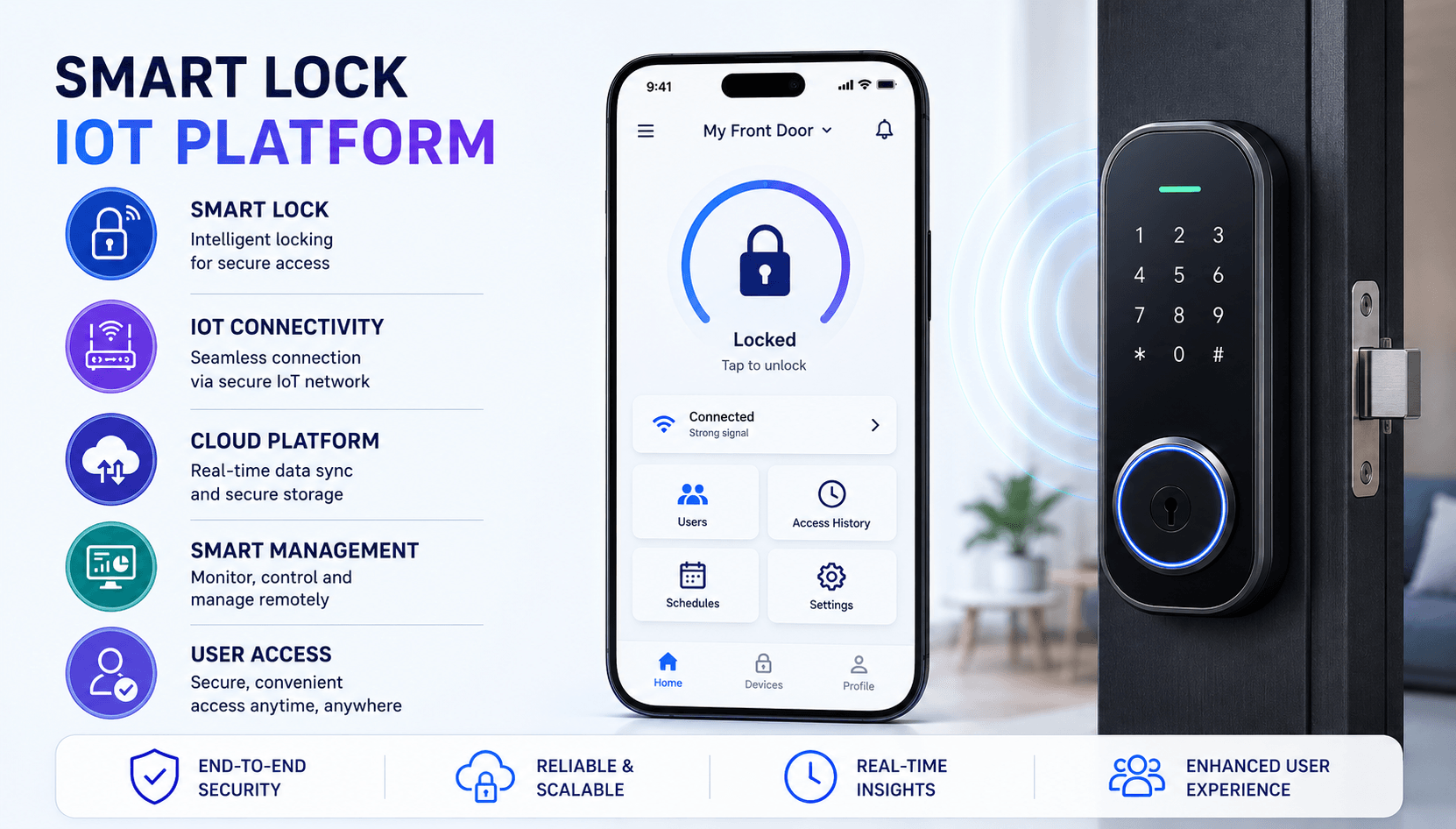
- Centralized fleet management so staff could view every installed lock, its location, and its status from one screen
- Live lock status showing whether a door was locked, unlocked, or in an error state
- Granular access permissions so different users (owners, tenants, cleaners, maintenance staff) could get different levels of door access, often on a schedule
- Remote lock and unlock commands that could be triggered from the dashboard or the mobile app
- Battery and connectivity monitoring with proactive alerts before a device actually failed
- An audit trail of every access event, useful both for security and for resolving disputes
Once we had this list, the shape of the system became much clearer. This was not simply a mobile app project. It was a distributed system with physical devices, cloud infrastructure, and two separate front ends that all needed to agree on the same truth at the same time.
Architecture Decisions That Shaped Everything Else
The biggest early decision was how the locks would talk to the cloud. We chose MQTT as the core communication protocol. MQTT is lightweight, works well on constrained hardware, and is built around a publish and subscribe model that fits IoT use cases naturally. Locks could publish status updates and subscribe to command topics without holding an expensive persistent connection open the way a raw socket approach would require.
Behind MQTT, we needed a message broker that could scale with the fleet, so we used a managed MQTT broker with topic level access control, meaning each lock could only publish and subscribe to its own topics. This alone solved a huge class of potential security issues before we even got to authentication.
On the backend, we built a set of REST APIs for anything that did not need to be truly instantaneous, things like user management, permission changes, and historical reports. For anything time sensitive, like a live unlock command or a status change, we relied on the MQTT layer combined with a lightweight event driven service that translated device events into application state changes.
Choosing a database was its own decision tree. Lock events are fundamentally time series data. Every status change, every battery reading, every access attempt has a timestamp and needs to be queried across ranges of time. We ended up splitting our data layer:
- A time series database for device telemetry, battery history, and connectivity logs
- A relational database for structured data like users, roles, permissions, and lock metadata
- A message queue sitting between the MQTT broker and our backend services to buffer and process events without losing anything during traffic spikes
For cloud infrastructure, we deployed on a containerized setup with autoscaling groups for our API and event processing services, since load was not steady throughout the day. Mornings and evenings, when tenants were coming and going, produced far more lock activity than the middle of the night.
Building the Mobile App
The mobile app needed to do two things well: pair with locks over Bluetooth Low Energy for the initial setup and close range interactions, and stay useful even when connectivity was poor. Smart locks are often installed in basements, stairwells, or buildings with thick walls, so we could not assume a strong WiFi or cellular signal at the point of use.
BLE pairing became the fallback method for unlocking when internet connectivity dropped. If the phone was within range of the lock, it could communicate directly rather than waiting on a cloud round trip. This single design choice removed a huge number of support complaints during early testing.
We also built a robust offline mode. The app would cache the user’s most recent permission set and lock status locally, so someone could still see whether a door was likely locked even without a live connection, with a clear indicator that the data might be stale. Commands issued while offline were queued and synced once connectivity returned, with conflict resolution logic to handle cases where the lock’s physical state had changed in the meantime.
Push notifications rounded out the experience. Users received alerts for events like a door being unlocked by someone else, a lock reporting low battery, or a failed access attempt. Getting notification timing right took real tuning, since too many alerts trained people to ignore them, and too few meant missed security events.
Building the Web Dashboard
The web dashboard was built for the agency’s internal staff and their client property managers, so it needed a very different design mindset than the mobile app. Where the mobile experience was about quick action, the dashboard was about visibility and control at scale.
We built role based access control from day one, since the agency needed different views for different job functions.
- Administrators could see every property, every lock, and every user across the entire portfolio
- Property managers could see only their assigned buildings and manage tenant access within them
- Support staff had visibility into device health and troubleshooting tools but limited permission to change access rules
- Read only auditor accounts existed for compliance reviews
Beyond access control, the dashboard included analytics on lock usage, showing patterns like peak access times, doors with unusually high failed attempt rates, and devices that were trending toward battery failure. This turned the platform from a reactive tool into something the agency could use to plan maintenance visits before a lock actually failed in the field.
Security Considerations From the Ground Up
Given that this system controlled physical access to buildings, security could not be an afterthought. As a team focused on Smart IoT Solutions for real world physical environments, we built several layers of protection into the platform.
- End to end encryption for all commands sent between the mobile app, the cloud, and the lock hardware
- Secure device provisioning using unique cryptographic identities issued to each lock at setup, so no device could impersonate another
- Strong authentication for both users and devices, with short lived tokens for lock commands rather than long lived credentials
- Detailed audit logs capturing every access event, permission change, and administrative action, stored in a way that could not be altered after the fact
We also ran the provisioning flow through several rounds of internal security review, since a compromised setup process would undermine every other protection we built.
Challenges We Ran Into
Not everything went smoothly, and it would not be an honest case study if we skipped the hard parts.
- Devices in real buildings dropped connectivity far more often than our lab testing suggested, thanks to thick walls, interference, and inconsistent WiFi setups in older properties
- Scaling the event pipeline required rework once we saw real traffic patterns, since certain buildings generated bursts of activity that our early queue configuration was not tuned for
- Keeping the cloud’s view of a lock’s state in sync with its actual physical state was an ongoing challenge, especially when a lock was operated manually with a physical key while the system still thought it was locked remotely
- Latency in remote commands, even a few seconds, felt unacceptable to users standing at a door, which pushed us toward the BLE fallback and more aggressive local caching
Each of these challenges forced a design change rather than a quick patch, which slowed us down in the short term but made the platform noticeably more resilient by launch.
Testing and Rollout Approach
We avoided testing purely in simulation. Instead, we set up a staging environment wired to real lock hardware in a small test facility, so every update to firmware, backend logic, or app behavior was validated against actual devices before touching production.
Rollout to the agency’s real properties happened in phases. We started with a handful of buildings that had engaged, patient property managers willing to report issues quickly. Once the platform proved stable there, we expanded to a wider set of properties, and only after that did we open the mobile app to end users like tenants and cleaning staff. This phased approach caught several issues, particularly around permission edge cases, before they could affect a large number of people at once.
Results and Impact
The impact showed up quickly once the platform was fully live. Field technicians no longer needed to physically visit a property to check whether a lock was healthy, since battery and connectivity alerts gave them a head start on maintenance. Support tickets related to access issues dropped noticeably, largely because tenants could see their own access status and permissions directly in the app instead of calling in.
The agency’s operations team reported that manual intervention for tasks like granting temporary access to a contractor went from a phone call and a physical key handoff to a permission change made in seconds from the dashboard. Property managers gained visibility they never had before, and that visibility translated directly into fewer disputes over who accessed a unit and when. For the team at Smart IoT Solutions, the project became a strong example of what a well planned IoT build can do for an operationally stretched business.
Lessons for Teams Building Similar IoT Platforms
Looking back, a few lessons stand out as worth sharing with any team considering a similar build.
- Design for unreliable connectivity from the start rather than treating it as an edge case, since in the physical world, connectivity is never guaranteed
- Separate your time sensitive event path from your standard API path early, since trying to force both through the same system creates bottlenecks later
- Involve real hardware in testing as soon as possible, since lab conditions rarely match how devices behave in actual buildings
- Treat security as a foundational design constraint, not a feature to bolt on before launch
- Roll out gradually to real users, since the edge cases that matter most only show up once real people with real needs start using the system
Closing Thoughts
The agency’s original problem was simple to state but hard to solve: no unified way to see and manage a fleet of physical locks across web and mobile. What made the project succeed was resisting the urge to just build an app, and instead treating it as what it actually was, a distributed system spanning physical hardware, cloud infrastructure, and two different user experiences that all needed to agree on the truth in real time. The platform that came out the other end gave the agency exactly what they were missing at the start, a single, reliable view into their entire operation, and the ability to act on it from anywhere.
Related News